How to Disable Auto Start/Stop (2023+ VW Amarok & Next-Gen Ford Ranger)
If you’re over the engine cutting out at lights, this guide shows the module configuration changes used to disable the
Auto Start/Stop function on the 2023+ VW Amarok and 2023+ Ford Ranger (Next-Gen).
Important (read this first)
- This procedure writes changes to multiple modules. If you get it wrong, you can trigger faults or module issues.
- Use stable voltage support (battery charger/maintainer). Low voltage is how modules get corrupted.
- If you’re not confident, book in and we’ll handle it properly.
Software & tools you need (use the correct one)
- Software: FORScan — https://forscan.org/home.html
- Ford Ranger (2023+): vLinker Cable (FORScan compatible)
- VW Amarok (2023+): OBDLink LX Bluetooth 3.0 OBD2 Adapter (Android only)
- Must-have: battery charger/maintainer during programming
Step-by-step (1, 2, 3)
- Connect, scan, and confirm modules are available
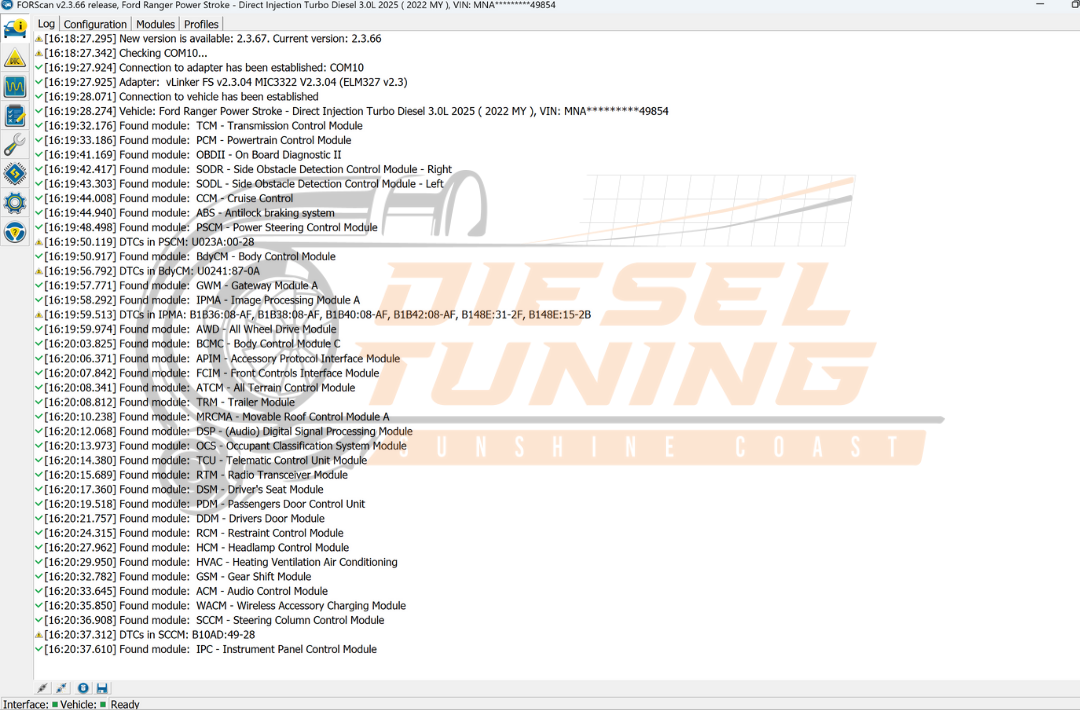
Plug in the correct adapter for your vehicle, turn ignition ON (engine OFF), connect in FORScan, and let it build the vehicle profile.
Before changing anything, confirm the required modules appear in the list.Figure 1: Confirm all modules load before changing anything. - Disable Start/Stop in BdyCM (Body Control Module)
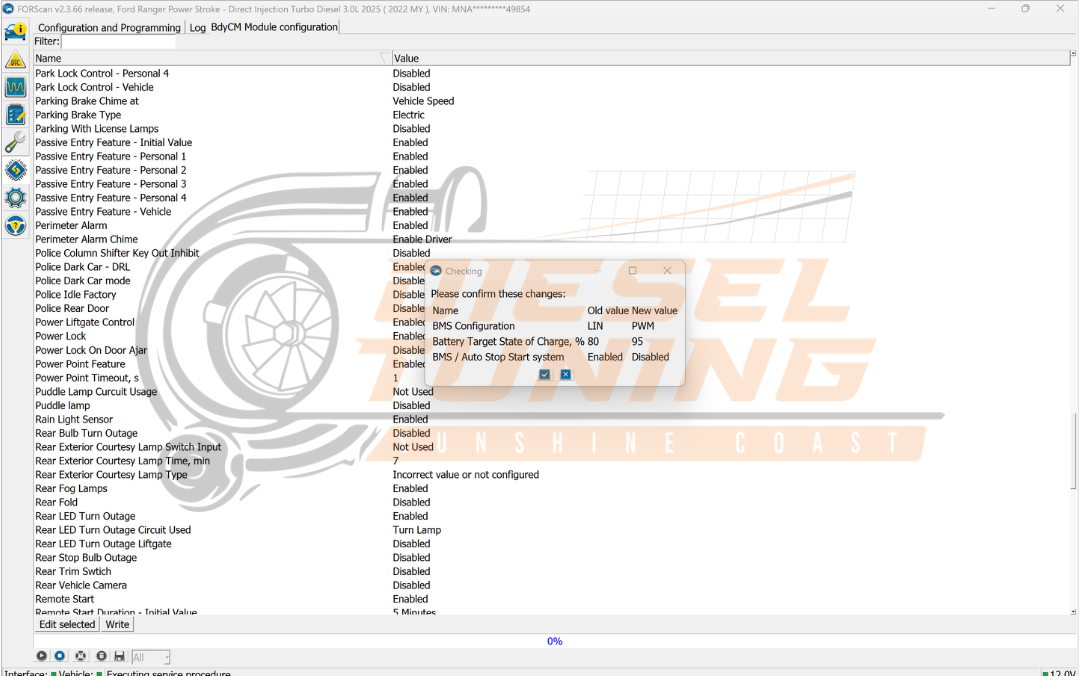
These are the key changes that disable Start/Stop logic and adjust battery strategy.
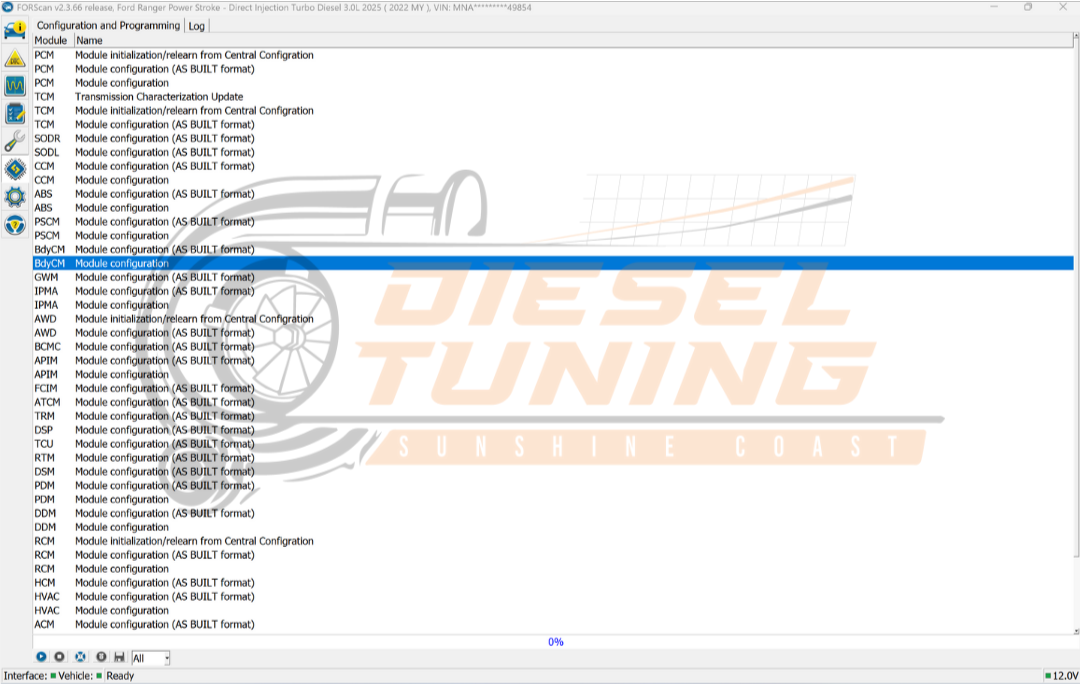
- Select BdyCM and enter configuration.
- Set BMW/Start Stop to Disable.
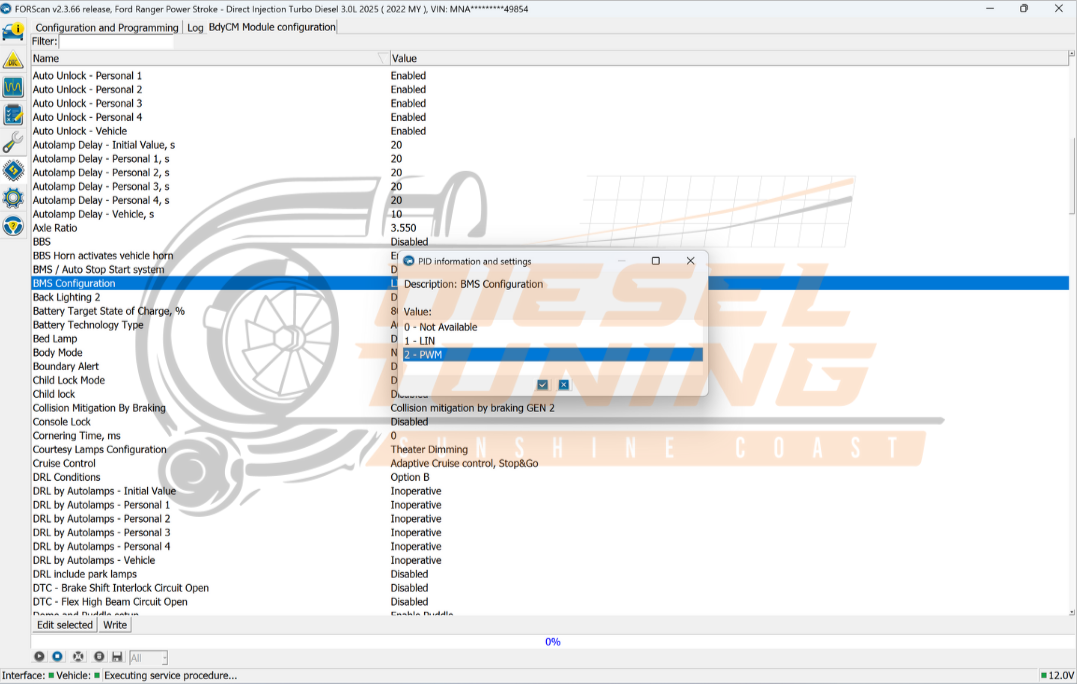
- Change BMW Config to PWM.
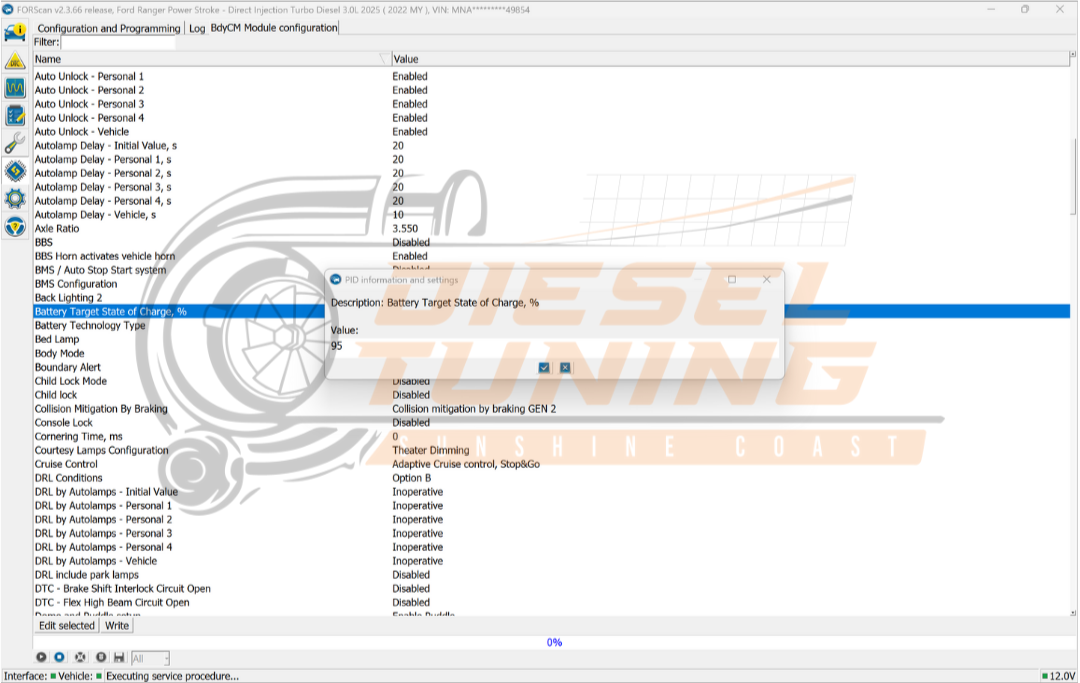
- Change Battery Target to 95%.
- Write changes and confirm.
Figure 2: Open BdyCM to access Start/Stop-related settings. Figure 3: Set BMW/Start Stop to Disabled. Figure 4: Change BMW Config to PWM. Figure 5: Increase Battery Target to 95%. Figure 6: Confirm the changes, then write to BdyCM. - Disable Start/Stop strategy in HVAC
This step disables Start/Stop strategy inside the HVAC module so the system doesn’t try to influence Start/Stop behaviour.
- Open HVAC configuration.
- Set Start Stop Strategy to Disabled.
- Write changes and confirm.
Figure 7: Disable Start/Stop strategy in the HVAC module. Figure 8: Confirm and write HVAC changes.
Optional cleanup (recommended)
Some vehicles will still show Start/Stop options or prompts in the cluster or infotainment even after it’s disabled.
These steps clean that up.
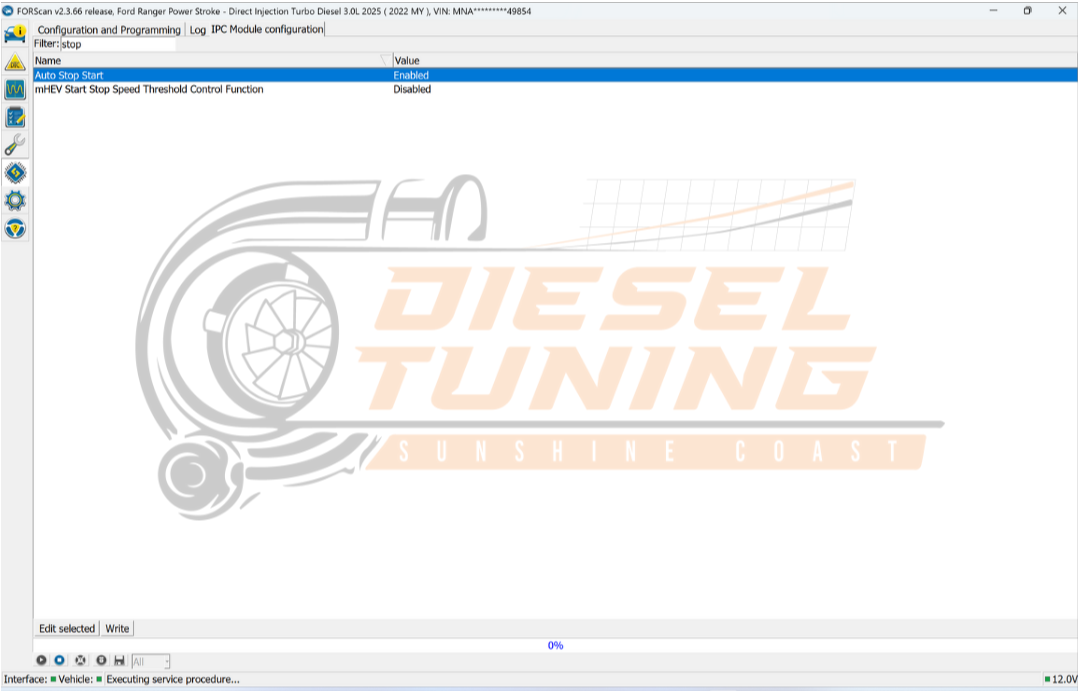
IPC (Instrument Cluster)
- Open IPC configuration.
- Set Auto Start Stop Enable to Disable.
- Write the change.

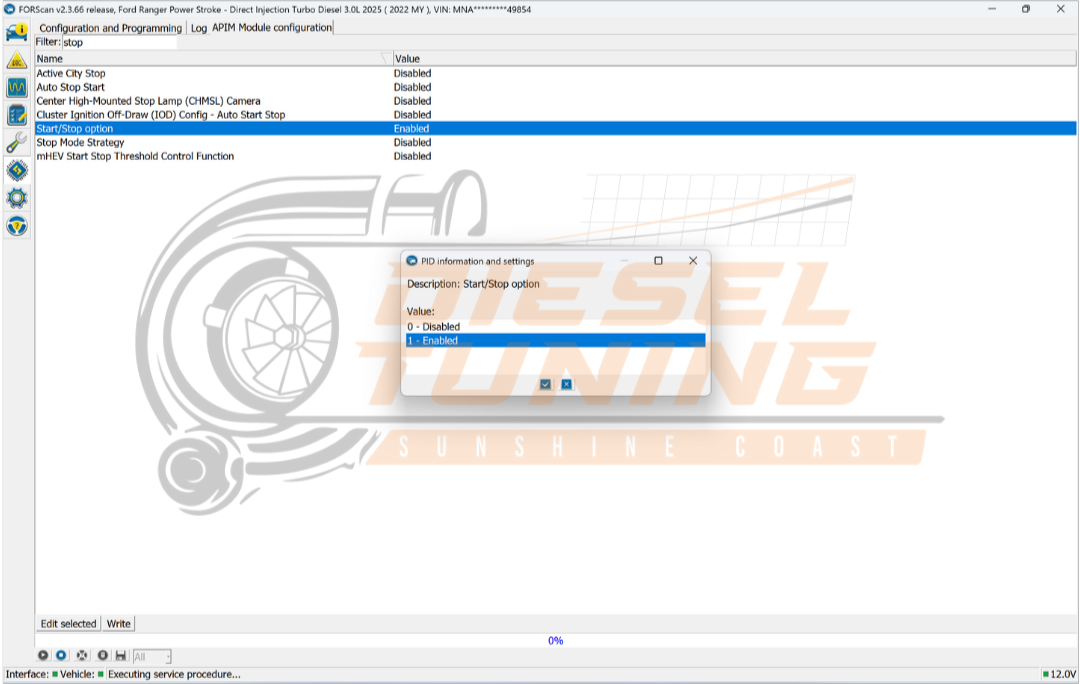
APIM (Infotainment / SYNC)
- Open APIM configuration.
- Set Start Stop Option Enable to Disable.
- Write the change.

Final check
- Cycle ignition OFF → wait 30–60 seconds → ignition ON.
- Start the vehicle and confirm Start/Stop no longer activates.
- If you have warnings, stop and restore original values.

Want us to do it for you?
If you’d rather not touch module coding, book in with SC Diesel Tuning. We’ll disable Start/Stop properly with voltage support,
confirm module writes, and check for faults.
Sunshine Coast Diesel Tuning
6/3 Commerce Ave, Warana QLD
Call: 0423 108 474